
Tired of repeating the same tasks day after day, copying files, replying to emails, or moving data between apps? You’re not the only one. Zapier AI automation, these time-wasters eat up your productivity and leave little room for real creative work.
That’s where Zapier comes in. With just a few clicks (and zero coding), you can connect your favorite apps and set up smart automations that handle the boring stuff for you. Thanks to new AI features, Zapier can now even summarize, classify, or write content on your behalf.
In this guide, you’ll learn how Zapier AI works, why it’s perfect for beginners, and how to build your first automation today, no stress, no code, just results. Want to automate more of your tasks without coding? Discover the best tools in our full guide: Automate Your Life with AI.
Zapier AI automation, how does it work?
Zapier is a no-code automation platform that helps your apps work together. It uses simple logic to create workflows called “Zaps”, which perform a series of actions based on a trigger.
For example:
“When I receive a new email in Gmail → Automatically upload the attachment to Google Drive → Notify me in Slack.”
You don’t need to write code or configure servers. Zapier’s drag-and-drop builder lets you design automation workflows visually.
Now, with AI features, you can:
- Summarize emails using OpenAI or ChatGPT
- Classify text-based data (like survey responses)
- Auto-generate content or subject lines
Zapier works with 5,000+ apps, including Google Workspace, Slack, Notion, Airtable, Shopify, Typeform, and ChatGPT. It’s like having a smart assistant working behind the scenes 24/7. Want the full picture? Don’t miss our all-in-one beginner resource.
Why Beginners Love Zapier
Zapier is a dream come true for non-technical users.
Even if you’ve never automated anything before, you’ll find it incredibly easy to get started:
- No tech background required
- Pre-built templates for common workflows
- Step-by-step guides walk you through everything
- Massive help center and an active community
What makes Zapier even more exciting now is the addition of AI-powered steps, perfect for summarizing content, generating replies, or sorting data automatically.
In short, it puts the power of automation in your hands, even if you’re starting from scratch.
Real Automation Examples for Everyday Users

Here are some real-life Zaps that save time, reduce human error, and boost productivity:
For Solopreneurs
Trigger: New payment via Stripe
Action: Add the customer to your Mailchimp list → Send welcome email
Great for building trust and follow-up marketing
For Content Creators
Trigger: New Typeform submission
Action: Send thank-you email → Add response to a Notion database
Organize your audience feedback and grow your community
For Freelancers
Trigger: New event in Google Calendar
Action: Auto-send confirmation email with event details
Fewer no-shows, more professionalism
For Coaches & Consultants
Trigger: New row in Google Sheets (e.g. client intake form)
Action: Use ChatGPT AI step to summarize client data → Email it to yourself
Personalized insights, automatically delivered
How to Set Up Your First Zap (Step-by-Step)
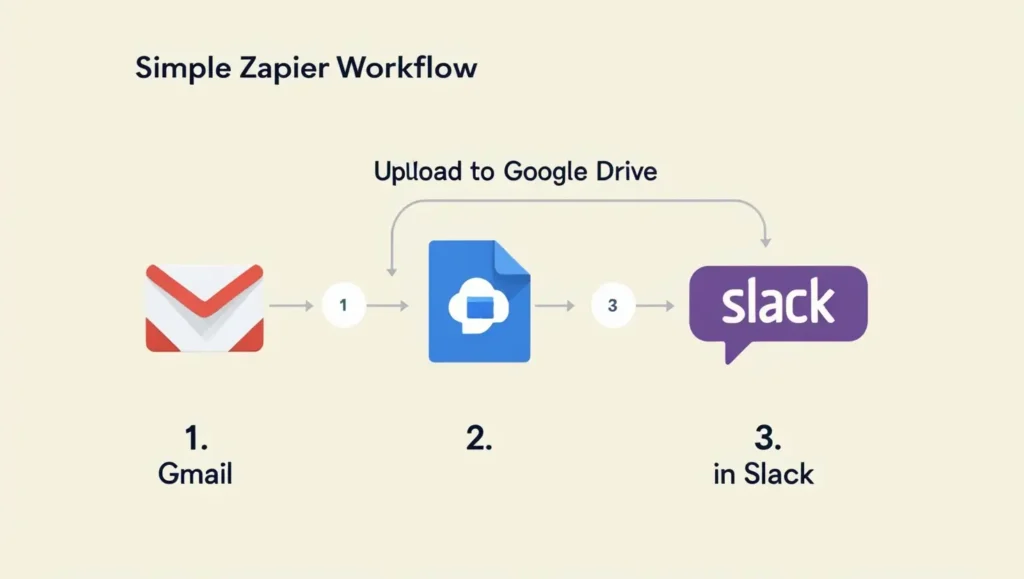
Ready to automate your first task? Here’s a quick walkthrough:
- Choose a Trigger App (e.g. Gmail)
– Example: “When I receive a new email with an attachment…” - Choose an Action App (e.g. Google Drive)
– Example: “…Upload that file to a specific folder.” - Add an AI Step (optional)
– Summarize the email → Rewrite the subject line → Classify the content - Test your Zap
– Zapier runs a quick simulation so you know it works - Turn it On
– Congratulations! Your workflow now runs in the background
Pro Tip: You can chain multiple steps, including filters, delays, or conditional paths.
(You can also include a simple workflow diagram or screenshot from Zapier here.)
Zapier vs Other Automation Tools – What Makes It Stand Out?
Zapier is a top choice, but it’s not the only automation tool out there. Here’s how it stacks up against a few popular alternatives:
| Tool | Best For | Key Strengths | Limitations |
|---|---|---|---|
| Zapier | Beginners to pros | 5,000+ app integrations, AI steps, no-code builder | Some advanced features behind paid plans |
| Make (Integromat) | Visual logic and advanced paths | More control, custom logic, great for power users | Steeper learning curve for beginners |
| IFTTT | Smart homes & personal use | Super simple setup, smart devices integration | Fewer business app integrations |
| Pabbly Connect | Budget-friendly automation | One-time pricing, useful for freelancers | Fewer integrations than Zapier |
| n8n | Developers and tech-savvy users | Open-source, powerful conditional logic | Requires hosting and technical knowledge |
Why choose Zapier?
- You can build workflows in minutes
- You don’t need to code anything
- The AI features (powered by ChatGPT) make it smarter than ever
Looking for enterprise-level control or developer features? Try Make or n8n.
Want simplicity or home automations? IFTTT might do the trick.
But for most solopreneurs, creators, freelancers, and small teams, Zapier hits the sweet spot between ease, flexibility, and power.
Zapier Pricing & Plans – What Do You Get for Free?
One of the best things about Zapier is that you can start automating for free, and only upgrade if you need more advanced features or volume.
Here’s a quick breakdown of Zapier’s current pricing (as of 2025):
| Plan | Price (USD/month) | Best For | Key Features |
|---|---|---|---|
| Free | $0 | Beginners, testing ideas | 100 tasks/month, 5 Zaps, single-step automations |
| Starter | $19.99 | Side hustlers, freelancers | 750 tasks/month, multi-step Zaps, filters |
| Professional | $49 | Busy solopreneurs, small teams | 2,000+ tasks/month, custom logic, AI features |
| Team | $69+ | Agencies, remote teams | Shared workspaces, unlimited Zaps, advanced support |
| Company | Custom | Enterprise users | SSO, advanced permissions, onboarding, SLAs |
AI features like ChatGPT steps are available starting with the Professional plan.
Try first, pay later: You can explore most tools and even run basic workflows without spending a dime.
And if your needs grow? You can upgrade or downgrade your plan anytime without losing your Zaps.
Best Practices + Tips
To make the most of Zapier without feeling overwhelmed, follow these simple tips:
- Start small : automate one task and build up
- Use filters : don’t over-automate or send irrelevant data
- Label clearly : name your Zaps for easy management
- Use folders : keep your automations organized by project
- Explore AI steps : try text generation, classification, or smart replies
With a bit of structure, your Zapier dashboard can become your virtual assistant.
You don’t need to be a developer to build time-saving automations. With Zapier, anyone can connect apps, reduce repetitive tasks, and even use AI to work smarter, not harder.
Whether you’re managing clients, publishing content, or organizing a team, it’s time to let the robots help.


Pingback: How to Use AI Automation For Daily Tasks, The Best Way to Working Smarter -